
Dragon Tower Defense Inventory, Loadouts and Index Rewards
Use Units to choose your equipped dragons and make room for new summons. Loadouts store teams, Auto Sell handles unwanted summon results, and Index discoveries provide extra Coins.
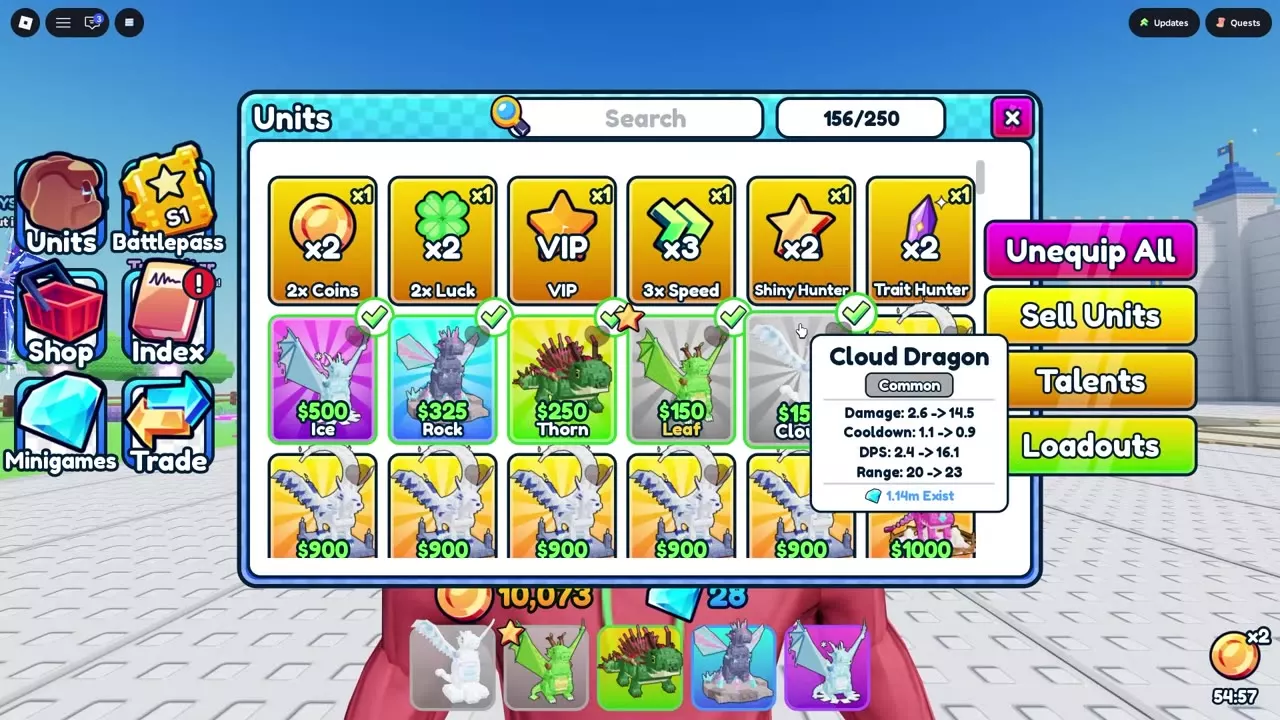
Your team has five slots, and your inventory holds 250 units. Open Units to equip copies, check their green marks and use Sell Units to free space. Summon x10 needs ten empty spaces. Open Loadouts from Units to unlock saved teams in order for 2,500, 5,000 and 10,000 Coins. Set Auto Sell from Summon; the first copy of each dragon is always kept. Open Index to claim discovery Coins individually or with Claim All.
Units and Equipped Teams
Your inventory holds 250 units, while the bottom hotbar has five equipped-team slots. The inventory counter tracks all owned units; the hotbar shows the copies selected for your team.
- Open Units from the left-side menu.
- Use Search or scroll to find the dragon you want.
- Select the copies for your team. Equipped copies have green check marks and appear in the bottom hotbar.
- Use Unequip All to clear the team before choosing a different lineup.
When you own several copies of one dragon, check the mark on the particular copy you want to equip. Other copies can remain unequipped in your inventory.
Make room for a summon batch
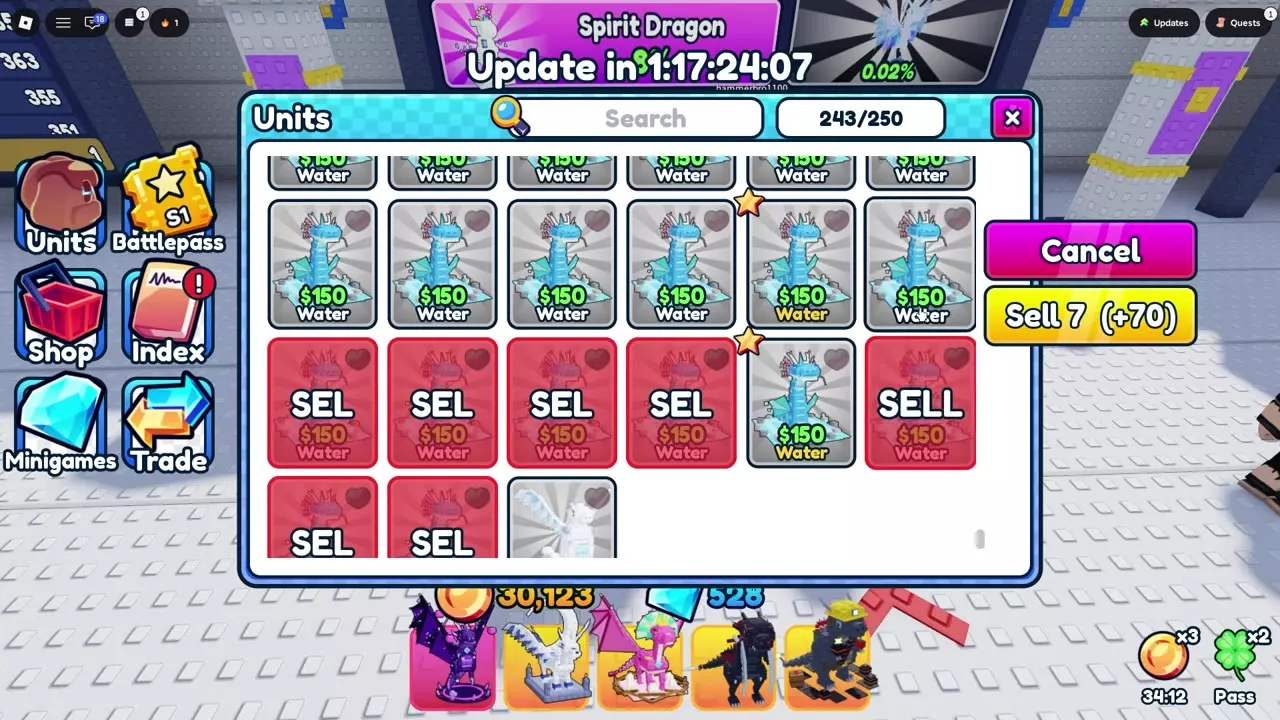
You need enough empty spaces for the entire requested batch. At 243/250, only seven spaces remain, so Summon x10 is blocked and asks you to sell units first. Sell at least three unwanted copies to leave ten spaces.
Loadout Slots
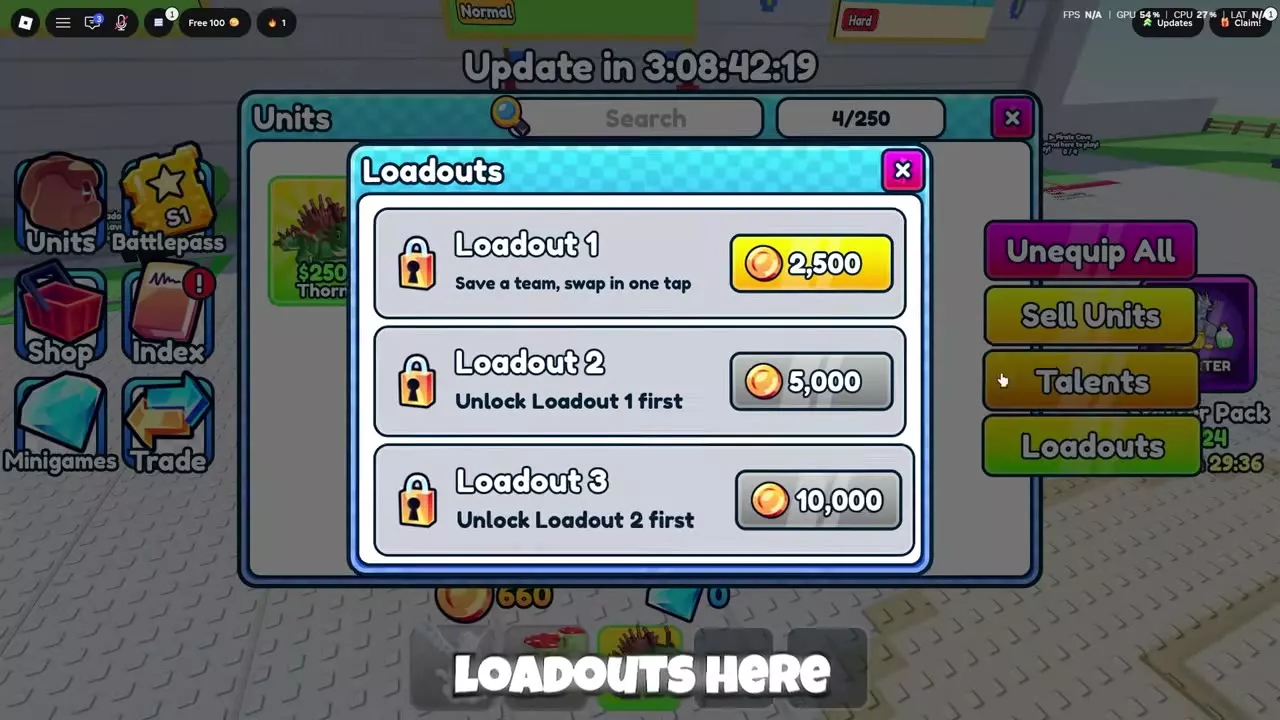
Loadouts save teams for one-click switching. Open Units → Loadouts, then select the available slot's Coins price to unlock it.
Unlock the slots in order: Loadout 2 requires Loadout 1, and Loadout 3 requires Loadout 2. The prices below are the individual slot unlock costs.
Loadouts
- Access
-
Units > Loadouts
- Slot unlocks cost
- Coins (Price depends on the loadout slot)
| Level / Stage | Unlock cost |
|---|---|
| Loadout 1 | 2,500 Coins
|
| Loadout 2 | 5,000 Coins (Loadout 1 unlocked)
|
| Loadout 3 | 10,000 Coins (Loadout 2 unlocked)
|
Sell Units
Once you find a pet, you keep it permanently. Sell unwanted dragon copies to receive Coins and free spaces for summons.
- Open Units → Sell Units.
- Click unwanted copies, or drag across their cards with your mouse to select several. Leave copies you want to keep, including chosen Shiny copies, unselected.
- Check the selected cards: they turn red and display SELL.
- Read the Sell button's selected count and Coins total before completing the sale.
- Press Sell to sell the selection, or Cancel to leave selection mode. After selling, the inventory count decreases and a notification reports the Coins received.
Ordinary Water copies sell for 10 Coins each: selecting one gives a +10 preview, and selecting seven gives +70. For a mixed selection, use the displayed total because the payout depends on which copies you select.
Auto Sell
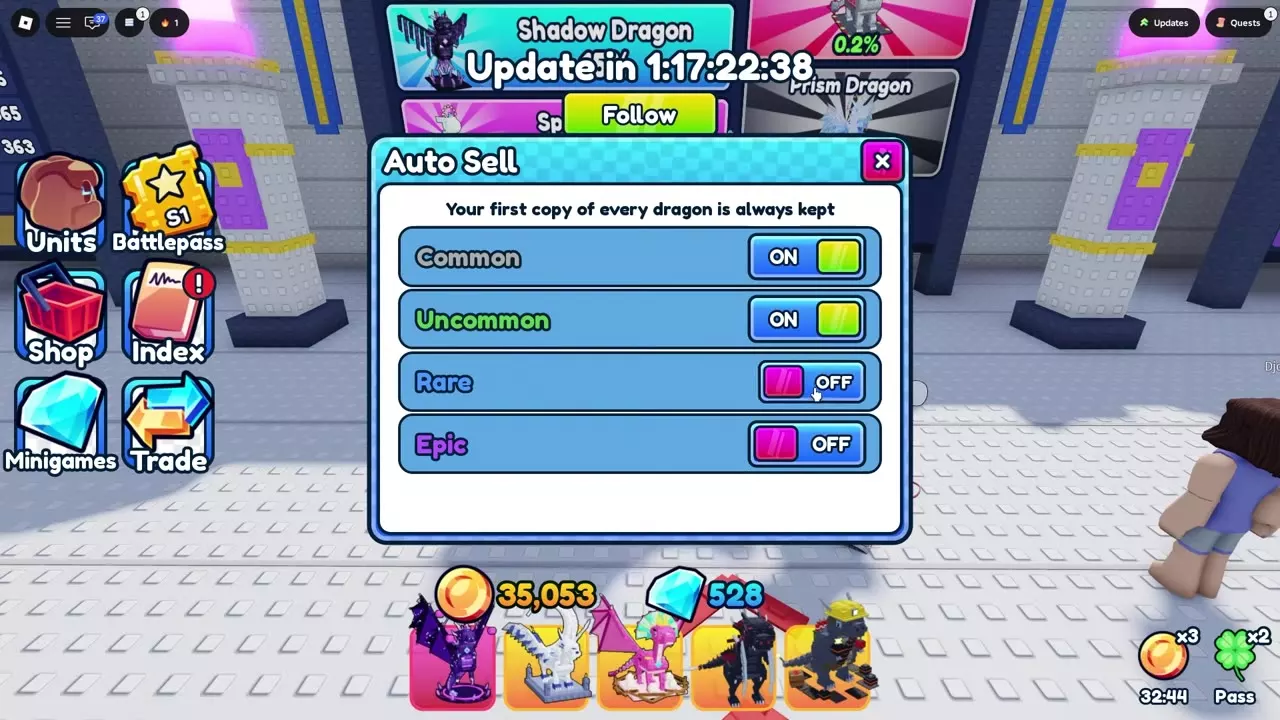
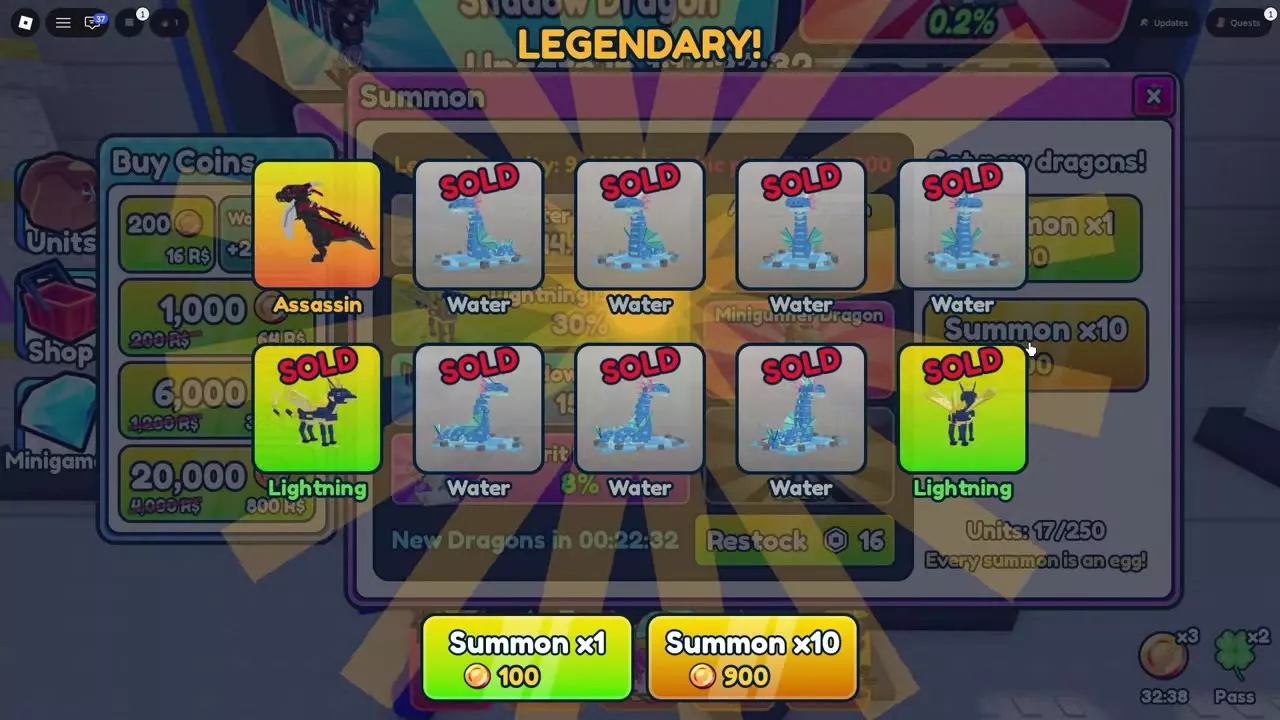
Auto Sell automatically sells eligible summon results for Coins. The first copy of each dragon is always kept.
- Open Summon, then Auto Sell.
- Set the separate Common, Uncommon, Rare and Epic switches to ON for categories you want automatically sold. Leave categories you want to retain OFF.
- Return to Summon and summon your dragons.
- Look for SOLD on automatically sold results. The notification gives the sold count and Coins received.
- Use Summon x1 or Summon x10 on the results screen to continue with Auto Sell active.
For routine cleanup while retaining Rare and Epic results, turn Common and Uncommon ON and leave Rare and Epic OFF. Keep a category OFF when you are collecting extra copies from it.
SHINY identifies a variant; SOLD identifies an automatically sold result. The Coins returned depend on the sold results, so different batches can pay different amounts.
Index Discovery Rewards
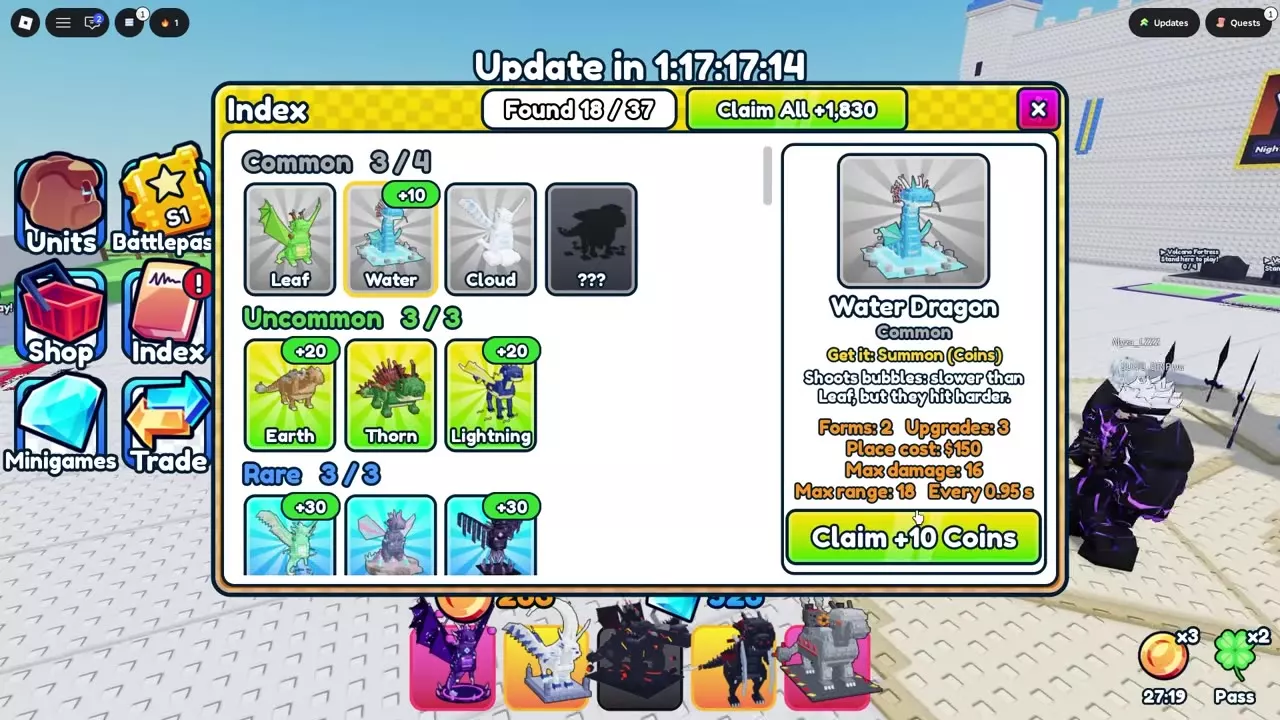
Open Index from the left-side menu to track discoveries and collect their Coins rewards. Found at the top shows how many dragons you’ve discovered out of the overall total. The counter beside each rarity shows your progress within that group. Undiscovered entries use silhouettes and question marks.
- Select a discovered dragon to open its details, including acquisition method, forms, upgrades and listed attributes.
- Press its Claim button to collect the individual reward, or use Claim All at the top to collect the available total.
- Look for Claimed on collected entries. Individual claims reduce the amount remaining on Claim All. When no discovery rewards remain to collect, Claim All dims and the Index displays Nothing to claim.
Named discovery rewards
| Dragon or Index entry | Reward |
|---|---|
| Water Dragon | 10 Coins |
| Cloud Dragon | 10 Coins |
| Mushroom Dragon | 10 Coins |
| Earth Dragon | 20 Coins |
| Lightning Dragon | 20 Coins |
| Rock Dragon | 30 Coins |
| Shadow Dragon | 30 Coins |
| Crystal — Rare entry | 30 Coins |
| Spirit Dragon | 50 Coins |
| Sun Dragon | 100 Coins |
| Fire Dragon | 100 Coins |
The Crystal reward applies to the Rare Index entry labeled Crystal. If Rock and Sun are your remaining unclaimed discoveries, Claim All totals 130 Coins. Claiming Rock individually leaves Sun's 100 Coins available.
Collection progress
The 37-entry Index with a separate Endless category uses these counts:
| Category | Entries |
|---|---|
| Common | 4 |
| Uncommon | 3 |
| Rare | 3 |
| Epic | 6 |
| Legendary | 6 |
| Mythic | 3 |
| Exclusive | 9 |
| Endless | 1 |
| Secret | 2 |
If your Secret counter reads 0/3, the total includes a third slot marked Coming Soon. That slot counts toward the displayed total even though its dragon is not yet available to discover.
Shiny has a separate 37-entry discovery counter. An undiscovered Shiny entry displays Not found yet. Use that category to track variant collection separately from your regular discoveries.
For dragon identities, acquisition options and growth details, open the dragon directory.
Summoning and Shiny Collection
- Use the summoning guide for summon costs, rotating pools, pity counters and Lucky Summons.
- Follow the Shiny collection guide for acquisition, identifying variants and comparing named configurations.
- Choose complementary roles for your five equipped slots with team builds.
Inventory Sell Units removes owned copies and pays Coins. During a match, selling a deployed dragon returns the displayed Cash and frees deployment capacity; see combat selling and rebuilding.